So the script won't run, or a web folder throws a 403 you can't explain. That's permissions, and the fix is usually chmod 644 for a plain file or chmod 755 for anything that needs to run, folders included. When one file just has to become executable, chmod +x does it. Nothing cleverer. The three digits aren't magic either: owner, then group, then everyone else, and inside each digit you add read (4), write (2), execute (1). Honestly, once that clicks you stop looking it up. We'll walk the numbers and the symbolic shortcut for quick one-off flips, plus the recursive -R that fixes a whole tree right up until it stamps execute where it shouldn't. We leave 777 out of it, because it's almost never the real fix.
The short answer
chmod 644 file for a normal file. chmod 755 dir for a folder or a script,
and chmod +x script.sh when one file needs to become runnable. Add -R to
push a mode down a whole tree. The three digits: owner, group, others.
Read the three digits
Each digit covers one set of people: owner first, then group, then everyone else.
Inside a digit you add up read (4), write (2) and execute (1). So 6 is read plus
write and 5 is read plus execute. 7 is the lot. chmod 644 lets the owner edit
and leaves the rest read only, exactly what we want on a plain file nobody should
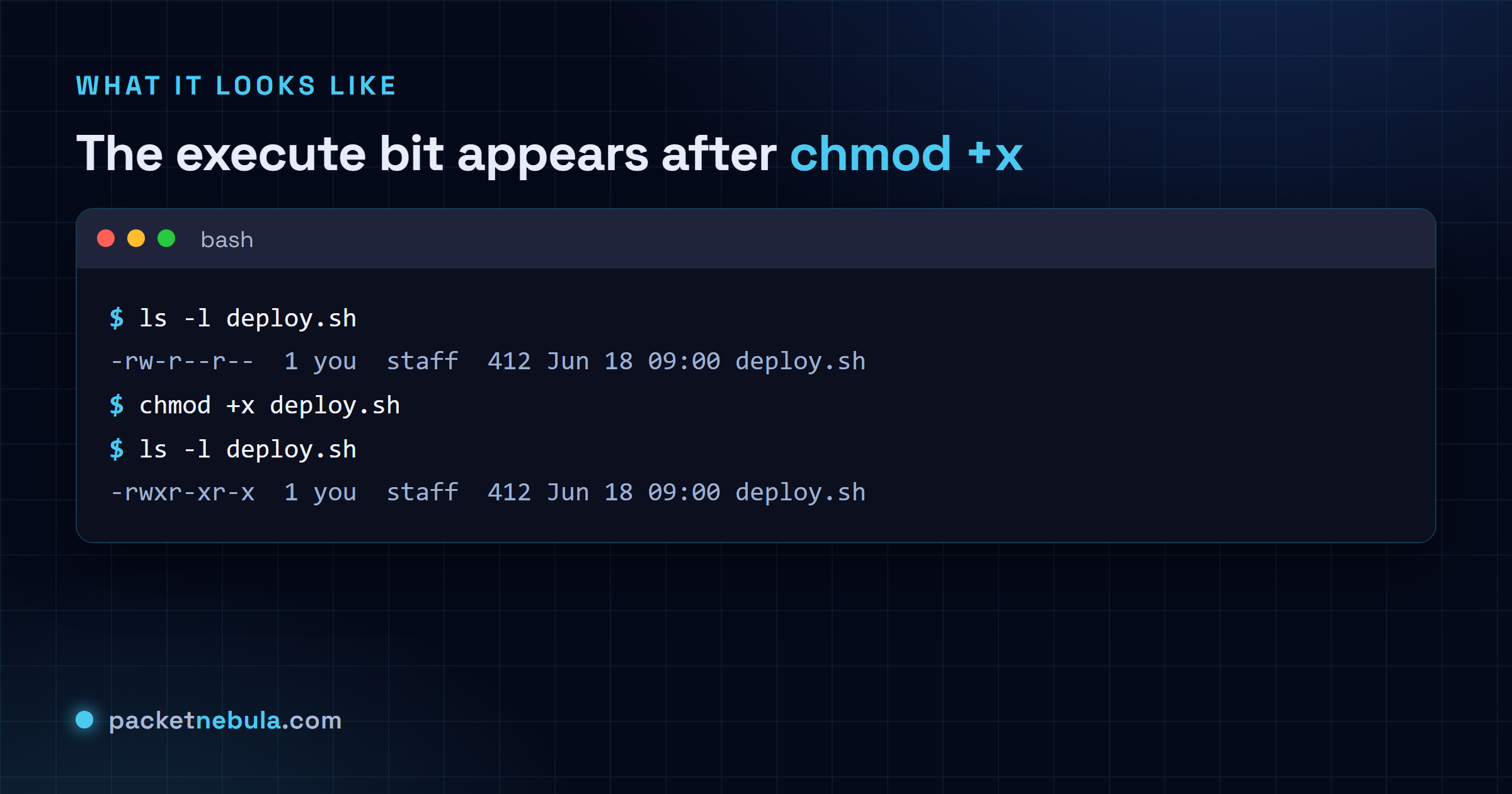
be running. Run ls -l afterwards and the permission string on the left says the
same thing back.
chmod 644 notes.txt Folders and scripts need execute
Here’s the bit that catches people: a folder needs the execute bit too. Not to be “run”, to be entered at all. So a folder and a script both want 755, where the owner can change things and everyone else can read and run them. Get this wrong on a web directory and you’ll stare at a 403 that has nothing to do with your config. We’ve lost real time to that one.
chmod 755 deploy.sh The quick symbolic change
Recomputing all three digits just to flip one bit is a waste. The symbolic form
says only what changes: +x adds execute, -w removes write. Aim it with u
for the owner, g for the group, o for others. Honestly, I reach for this far
more than the numeric form in day-to-day work.
chmod +x backup.sh 
Apply it down a tree, carefully
-R walks into every file and subfolder. Right tool for fixing a whole tree at
once, but blunt: chmod -R 755 also stamps the execute bit onto every plain
file, which is messy and, on anything public, a small security smell. When
folders and files need different modes, set them separately (find is the usual
way) instead of blanket-applying one number.
chmod -R 755 site/ If you’d rather click than count, the chmod calculator turns checkboxes into the exact number and back.
Frequently asked questions
What does chmod 755 actually mean?
Three digits, one per group: owner, group, others. Each digit adds read (4), write (2) and execute (1). So 7 is 4+2+1 (read, write, execute) for the owner, and 5 is 4+1 (read and execute) for the group and for everyone else. It's the standard mode for folders, and for scripts other people need to run.
When do I need chmod +x?
When a file should be runnable as a program. A shell script, say, or a downloaded binary. Hooks too. Without the execute bit the system flat out refuses, even if the contents are fine. "chmod +x script.sh" sets it, and "ls -l" confirms it: an executable shows an x in the permission column.
How do I apply a permission to a whole folder?
Add -R for recursive: "chmod -R 755 mydir". Careful though, it hits every file and subfolder on the way down. The usual refinement is folders at 755 and files at 644, set separately with find, because plain files rarely need the execute bit.
Is chmod 777 a good idea?
Almost never. 777 lets anyone read, write and run the file. That's a security hole, and usually a sign someone's guessing at a permission problem rather than fixing it. If something won't work, find the right owner with chown or the right mode (often 644 or 755) instead of opening it to everyone.