Somewhere in this project sits the line that sets that value, and we have no idea which file. grep 'pattern' file searches one file, and grep -r 'pattern' . walks everything under the current folder, which covers most of what we reach for: where a function is defined, or which config is behind a setting. Logs too. A few flags do the heavy lifting. -i ignores case, -n adds line numbers, -l prints just the filenames that matched, and -v flips it to show the lines that don't match. It's already on every Linux and macOS box, nothing to install. Here's the everyday version, and how to grep a whole project without drowning in noise.
The short answer
grep 'pattern' file searches one file, grep -r 'pattern' . searches
everything below the current folder. -i ignores case, -n adds line
numbers, -l prints filenames only, -v inverts the match.


Search one file
grep "error" app.log Every line with error in it prints. Quote the pattern if it has spaces or
shell characters in it, quoting never hurts anyway.
Search a whole project
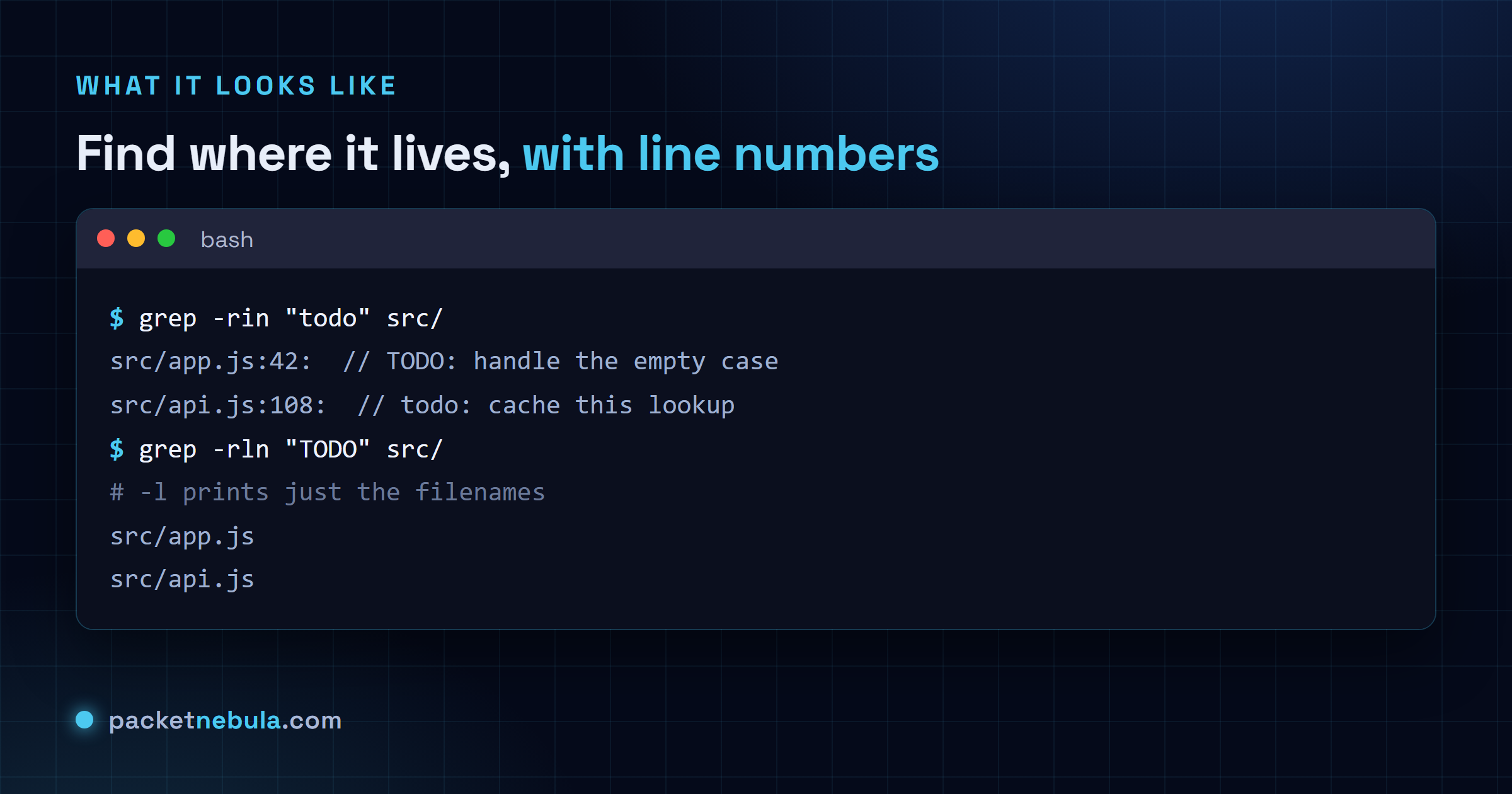
grep -rin "todo" src/ -r recurses into subfolders, -i ignores case (so TODO and todo both
hit), -n puts the line number next to each match. Honestly, this is the one
I type without thinking. The rest are variations on it.
Just the filenames
Sometimes we don’t care about the lines at all, just which files to open next:
grep -rl "API_KEY" . 
The flags worth knowing
A short list carries you a long way. -w matches whole words only. -v shows
the lines that don’t match, -c counts hits instead of printing them, -C 3
adds three lines of context around each match, and -F searches a literal
string when the pattern has regex characters you’d rather have taken at face
value. Five flags. That’s most of the grep we type in a normal week.
Frequently asked questions
How do I search every file in a folder and its subfolders?
Add -r (recursive): "grep -r pattern .". The dot just means start from here. We usually tack on -n for line numbers and -i to ignore case, so "grep -rin pattern ." ends up being the muscle memory version.
How do I show only the names of files that match?
Use -l: "grep -rl pattern .". You get one filename per file that contains the pattern instead of every matching line. That's the version we want when the next step is opening those files in an editor.
How do I search for a whole word, not a substring?
Use -w. Searching for cat normally also matches category and concatenate; "grep -w cat" only hits the standalone word. Pair it with -i when case doesn't matter.
grep treats my search term like a pattern and matches odd things. Why?
By default grep reads the term as a basic regular expression, so a dot or a star (or brackets) carries special meaning. Add -F (fixed) to search for a literal string: it finds the exact text and treats those characters as plain.