Your server won't start and the terminal throws 'address already in use'. Something's squatting on that port, and sudo lsof -i :8080 (or ss -ltnp on a leaner box) tells you what: the PID column is your culprit. We send a polite kill PID first and keep kill -9 for the ones that ignore us. Below: how to read the lsof output, why SIGTERM comes before SIGKILL, a fuser one-liner that finds and kills in one shot, plus what's actually going on when the port looks busy but lsof shows nothing at all.
The short answer
sudo lsof -i :8080 (or ss -ltnp) shows the PID holding the port.
kill 4821 asks it nicely; kill -9 4821 is for when it won’t listen.
The “address already in use” error clears the moment the process exits.

Step 1: find the PID on the port
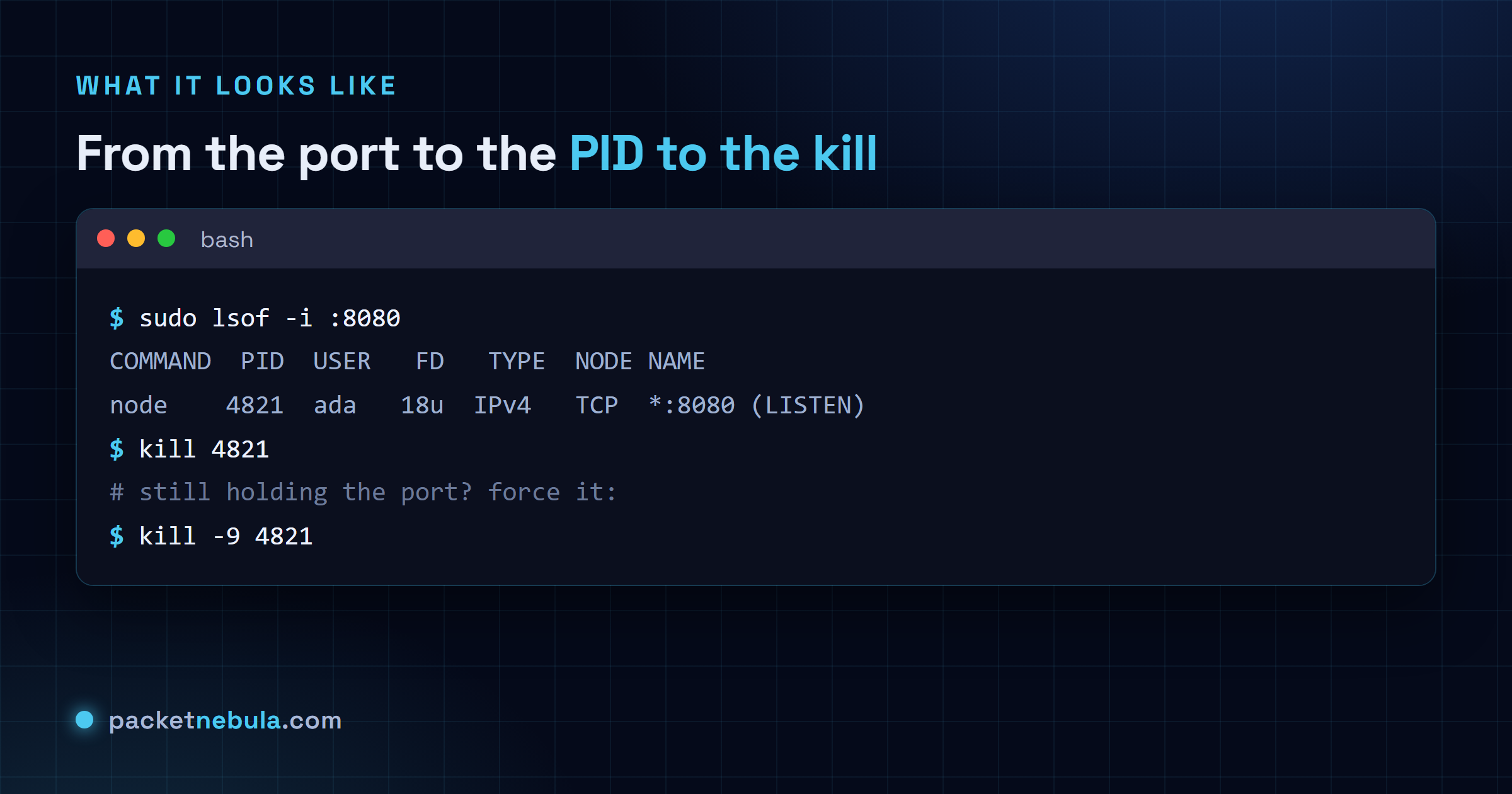
sudo lsof -i :8080 The PID column is the one we’re after. No lsof on this box?
sudo ss -ltnp | grep :8080 does the same job, and sudo fuser 8080/tcp
prints just the PID, nothing else.
Step 2: stop it cleanly (SIGTERM)
kill 4821 Plain kill sends SIGTERM. That’s a request: the process gets to close its
files and release the port properly. Give it a second, then re-run the lsof
from Step 1 to check it’s gone.
Step 3: force it only if needed (SIGKILL)
Still holding the port after SIGTERM? Escalate:
kill -9 4821 kill -9 sends SIGKILL, which can’t be caught or ignored. The process dies on
the spot with zero chance to clean up, which is exactly why we keep it as the
last resort and not the opening move.

The one-liner
Once you’re sure what’s sitting on the port, one command does the find and the kill:
sudo fuser -k 8080/tcp Prefer lsof? sudo kill -9 $(sudo lsof -t -i:8080) does the same thing.
When lsof shows nothing
Port looks busy, lsof comes back empty. Two usual suspects. The socket may be
sitting in TIME_WAIT, cooling down after a close; no process holds it, and
it frees itself shortly. Or the owner runs as root and you forgot sudo,
so you just couldn’t see it. In our experience it’s the missing sudo most of
the time.
On Windows instead? The tools are netstat and taskkill: see how to
kill the process using a port on Windows.
Frequently asked questions
How do I find which process is using a port on Linux?
Run "sudo lsof -i :8080" and read the PID column: that's the program bound to the port. No lsof on the box? "sudo ss -ltnp | grep :8080" does the same job, and "sudo fuser 8080/tcp" prints just the PID.
What is the difference between kill and kill -9?
Plain kill sends SIGTERM, a polite request to shut down cleanly and free its resources. kill -9 sends SIGKILL, which the process can't catch or ignore: it dies instantly but gets no chance to clean up. We always try SIGTERM first.
Why do I need sudo to kill the process?
Only when the process runs under another user or as root, which many services do. Then you can't see or kill it without elevated rights. A process you started yourself doesn't need sudo.
Is there a one-liner to free a port?
Yes: "sudo fuser -k 8080/tcp" finds and kills whatever holds the port in one command. "sudo kill -9 $(sudo lsof -t -i:8080)" does the same with lsof. Save them for ports where you're sure what's running.